
8171 Wallet Payment Is Not Showing
8171 Wallet Payment Is Not Showing Many beneficiaries across Pakistan are reporting that their 8171 wallet payment is not showing on the web portal, especially after the introduction of new digital verification systems in 2025. As BISP continues to upgrade its payment mechanisms, even a single mismatch in personal information, biometric data, or SIM registration can temporarily hide the payment from the system. This has caused confusion for thousands of families who rely on these payments for essential household expenses. Understanding the exact cause behind the missing payment is the first step, and knowing the correct solution ensures that the payment appears again without unnecessary delays.
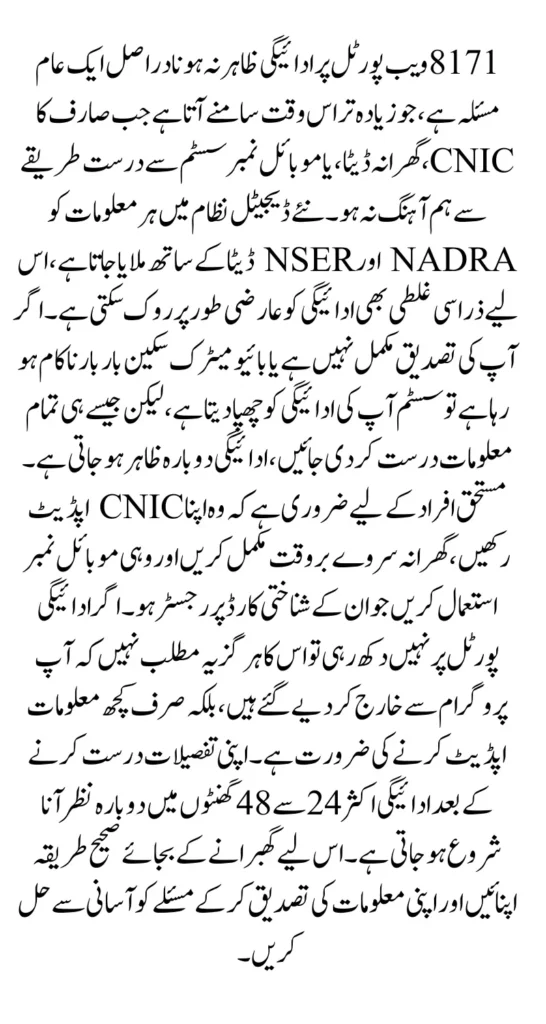
The new BISP digital structure is designed to verify every piece of information before showing payment details. If there is an issue with your CNIC, NSER data, SIM ownership, or biometric verification, the system temporarily blocks the payment display to avoid processing errors. The good news is that most of these issues are fully solvable through simple steps. This article explains each problem in detail, provides complete solutions, and guides you with a clear, human-friendly structure so you can restore your wallet visibility quickly and confidently.
You Can Also Read: BISP 8171 Payment Notification Delay December 2025
Why Your 8171 Wallet Payment Disappears — Complete Overview
The 8171 portal follows strict verification rules, and whenever it detects incomplete or mismatched information, it automatically hides the payment. This system is meant to protect beneficiaries, but it often creates confusion when payments disappear without warning. Many users think they are removed from the program, but in reality, their information simply needs to be verified or updated. The newly introduced digital checks examine CNIC data, biometric patterns, household records, and SIM registration before allowing the wallet to load payment details.
Because the system is sensitive to minor errors, any outdated or incorrect detail can immediately cause a payment display issue. For example, an expired CNIC, incorrect spouse name, changed address, or incomplete NSER record can delay payment visibility. Similarly, fingerprints that fail during verification or SIM cards not registered under the beneficiary’s CNIC can result in the payment not appearing at all. System traffic and server maintenance also play a role, especially during payment release days. These issues do not affect eligibility—they only affect the visibility of the payment.
You Can Also Read: 3 Marla Plot Scheme Registration
Key highlights:
- Payment disappears when CNIC, NSER, or household data is incomplete or mismatched.
- Biometric failures temporarily block wallet visibility.
- SIM not registered under beneficiary CNIC prevents OTP verification.
- Heavy server load or system maintenance hides payment for a few hours.
8171 Wallet Issue Causes and Solutions
| Problem | Reason | Best Solution |
|---|---|---|
| Payment Not Showing | CNIC mismatch, incomplete NSER, server delay | Update CNIC + NSER, recheck portal after few hours |
| Biometric Failure | Fingerprint mismatch, device error | Use another machine, try different finger |
| SIM Not Registered | SIM not under CNIC | Register SIM in your CNIC name |
| Wallet Inactive | Verification failures, data mismatch | Request manual reactivation at BISP office |
| Under Verification | Pending document or survey confirmation | Visit BISP office for identity review |
| Server Errors | High traffic or system upgrade | Retry during low-traffic hours |
CNIC & NSER Problems Hidden Payment Until Corrected
CNIC and NSER issues are the number one reason behind missing 8171 wallet payments. When the CNIC is expired, the system immediately blocks the wallet because identity cannot be confirmed. Similarly, if the beneficiary’s household information in NSER is outdated—such as number of family members, marital status, or address—the system marks the profile as incomplete. As soon as the profile is incomplete, the wallet hides the payment until everything matches accurately.
These errors are more common after the new dynamic survey because the system compares each beneficiary’s details with NADRA and NSER records. If even a small mismatch is detected, payment visibility is paused. The advantage is that once the user updates their information, the system restores payment visibility automatically within a few days.
You Can Also Read: AZAG Punjab Balloting Result 2025
How to fix CNIC & NSER problems:
- Update expired CNIC immediately from NADRA.
- Visit BISP tehsil office to correct NSER household details.
- Re-verify identity on the 8171 portal after updating your information.
Important reminders:
- Keep CNIC photocopies when visiting BISP office.
- Update household information after marriage, divorce, or address change.
- Complete the dynamic survey if you receive a verification message.
Biometric Verification Issues Why Payment Disappears After Scanning
Biometric verification is one of the most essential steps in the BISP digital system. If the fingerprints do not match, the system stops the wallet from loading payment details until verification is completed again. Many users, especially elderly women or those with worn-out fingerprints, face difficulty during biometric scanning. When the device cannot read fingerprints clearly, the system marks the user as “verification pending,” which causes the payment to disappear temporarily.
Biometric devices used in different centers also vary in sensitivity. Some older devices fail more often, causing unnecessary frustration for beneficiaries. Trying a different machine or visiting another center often solves the issue. If the problem persists, BISP staff can manually assist the user and complete the verification from the back-end.
You Can Also Read: BISP 933 District Issue Solved: Get Your Stuck Payment
Biometric solutions that actually work:
- Clean and dry your fingers before scanning to improve clarity.
- Try multiple fingers, not just thumbs, during verification.
- Visit another nearby payment center with better biometric devices.
- Ask for “assisted verification” if the system repeatedly rejects fingerprints.
SIM Ownership & OTP Delivery Problems — A Common but Overlooked Issue
Many wallet payment problems occur not because of CNIC or biometric errors, but because the registered mobile SIM is not under the beneficiary’s CNIC. The BISP system sends OTP codes to verify identity, and if the SIM does not belong to the beneficiary, the OTP cannot be delivered. Without OTP verification, the wallet refuses to open and payment remains hidden.
This issue is extremely common among women who use a family member’s SIM. Since the system requires identity and contact details to match, the beneficiary must have a SIM registered under their own CNIC. Once the mobile number is updated and verified, the wallet automatically starts showing the correct payment details.
How to fix SIM & OTP issues:
- Register a SIM in your own CNIC name.
- Use PTA code to verify SIM ownership.
- Update mobile number at the BISP office if it has changed.
- Restart phone and retry the OTP process after updating details.
Wallet Inactive — When Manual Reactivation Is Required
A wallet may become inactive if the system repeatedly detects errors or if the beneficiary fails verification multiple times. When this happens, the system locks the wallet for security reasons. The only way to restore access is to visit the BISP tehsil office and request a manual reactivation. During this process, BISP staff review identity details, correct mismatches, and reset the wallet from the system backend.
This procedure usually takes one to two days, and once the wallet is reactivated, the payment appears again without additional steps.
What to bring for reactivation:
- Original CNIC
- Registered mobile SIM
- Previous payment receipts or screenshot of the error
You Can Also Read: Canada Study Visas for 2026: IRCC Confirms 408,000 Permits
Server & Traffic Problems — Temporary Payment Disappearance
Sometimes the wallet payment does not show simply because the system is overloaded. This happens often on days when payments are released and thousands of beneficiaries log in simultaneously. During high traffic hours, the portal becomes slow, fails to load data correctly, or hides payment temporarily. These issues usually resolve automatically after a few hours once traffic reduces.
Server maintenance periods can also cause temporary data disappearance. During software upgrades, payment information is hidden until the update is complete. These technical issues do not affect eligibility and should not be a cause for concern.
How to identify server-related issues:
- Portal does not open or shows “system busy.”
- Payment disappears and reappears later on its own.
- Many users in your area face the same issue.
Final Checklist Before Visiting BISP Office
- Confirm your CNIC is valid and updated.
- Check household information in NSER for any mismatches.
- Test biometric scanning on different devices.
- Ensure your SIM is registered under your own CNIC.
- Retry checking the portal after a few hours during low traffic.
- Take screenshots of any error message for official support.
Conclusion
The 8171 wallet payment disappearing from the portal is a common but completely solvable issue. Whether the problem is related to CNIC, NSER, biometric verification, SIM ownership, or system traffic, each situation has a clear and simple solution.
By following the complete guide provided above, beneficiaries can restore payment visibility easily and avoid unnecessary stress. Keeping personal information updated and verifying details on time ensures that payments continue without interruption under the BISP program in 2025